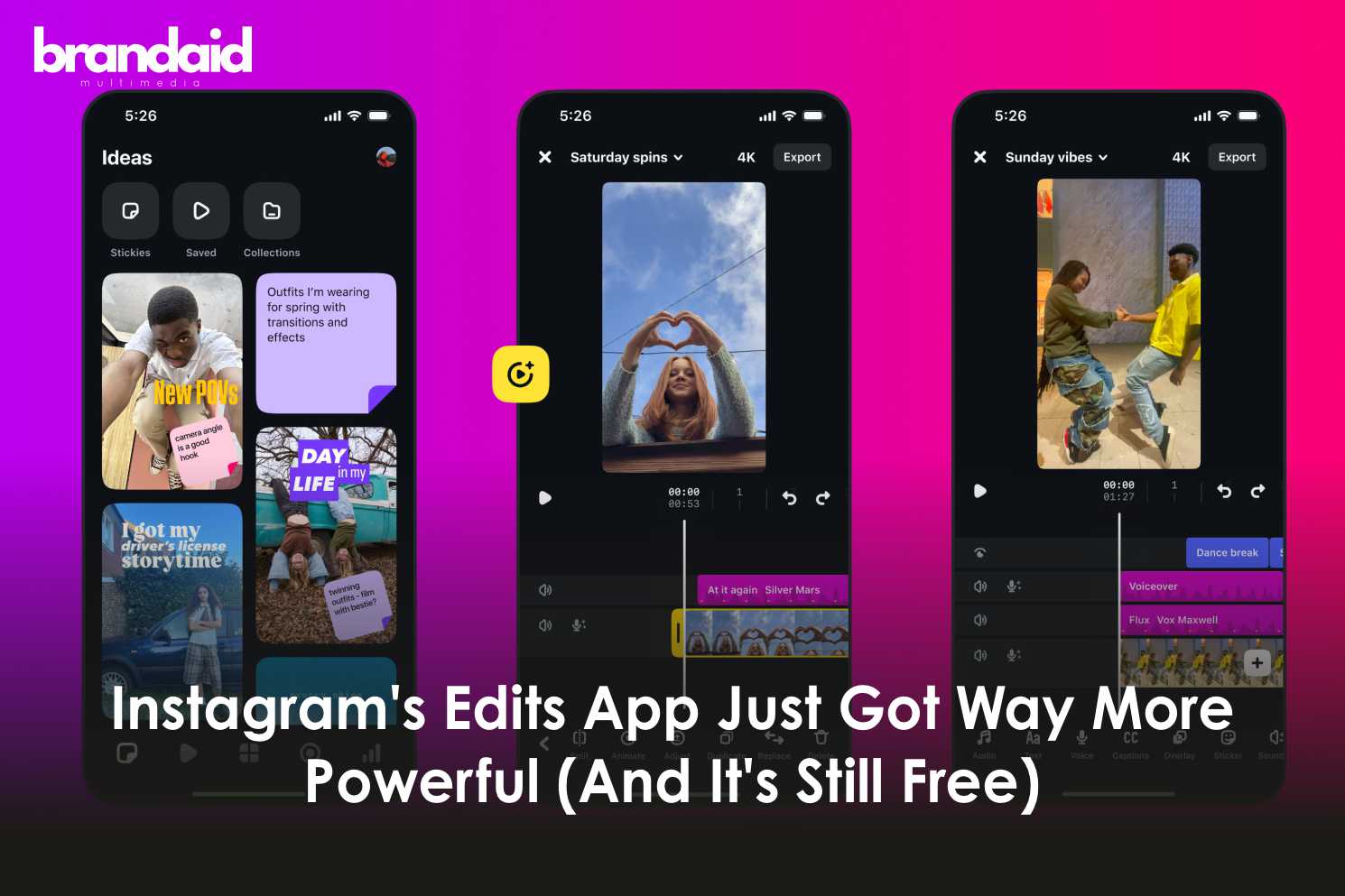
Instagram rolled out a major update to its Edits video editing app on November 5, 2025, adding 28 new video effects, customizable caption animations, and colour correction tools.
The update also includes new animation effects for captions, giving creators more control over how text appears in their videos. These additions make Edits a more competitive alternative to apps like CapCut, and it’s all available for free with no watermarks.
What’s New in the Latest Edits Update?
Instagram announced the update on its official account with a simple post: “New on Edits! Update your Edits app today to use colour correct, jazz up your captions with new animations and effects and more!” https://www.instagram.com/p/DQpbXITEVaV/?utm_source=ig_web_button_share_sheet
Here’s what the November 2025 update includes:
1. 28 new video effects to enhance your clips with overlays, visual animations, and cinematic touches
2. Colour correction tools for adjusting brightness, exposure, contrast, and overall colour grading.
3. Customizable caption animations and effects that let you control how text appears, moves, and disappears
4. Improved stability and performance for smoother editing and fewer crashes
The update builds on Instagram’s promise to rapidly improve Edits since its launch in April 2025.
Breaking Down the New Features
Colour Correction Tools
Colour correction gives you professional-level control over your video’s visual appearance.
What you can adjust:
1. Brightness and exposure levels
2. Contrast and saturation
3. Temperature and tint
4. Highlights and shadows
You can also apply Instagram’s built-in filters to change the overall vibe of your videos instantly. These tools help ensure your videos look polished and match your brand aesthetic.
28 New Video Effects
The new video effects add visual flair and professional polish to your content.
Effects include:
1. Visual overlays and animations
2. Cinematic elements like light leaks
3. Trendy effects like glitches and blurs
4. Seasonal options (the app previously added Halloween-themed effects)
These effects layer on top of your clips to create more dynamic, eye-catching videos.
Customizable Caption Animations
This is where the update gets interesting for creators who rely on text-heavy content.
What’s now possible:
1. Choose from multiple animation styles for how captions appear (fade, bounce, slide, swirl)
2. Customize the timing and movement of text effects
3. Apply different animations to different caption segments
4. Create more engaging, attention-grabbing text presentations
With animated text becoming a major trend in 2025, this update arrives at the perfect time.
How to Get the Update
The latest version of Edits is available now.
To update:
1. Open the App Store (iPhone) or Google Play (Android)
2. Search for “Edits, an Instagram app”
3. Tap “Update” if you already have the app installed
4. Or download it for the first time if you haven’t tried it yet
The update includes all the new animations, colour tools, and video effects automatically.
Conclusion
Instagram’s Edits app went from underwhelming to essential in less than a year.
The November 2025 update adds professional-grade colour correction, dozens of new visual effects, and customizable caption animations.
ALL FOR FREE.
If you dismissed Edits when it first launched, now’s the time to give it another shot. Instagram is updating the app aggressively, and it’s becoming the go-to editing tool for mobile creators.
No subscriptions. No watermarks. Just powerful tools to make your videos stand out.
Download it. Try the new features. See what you can create.